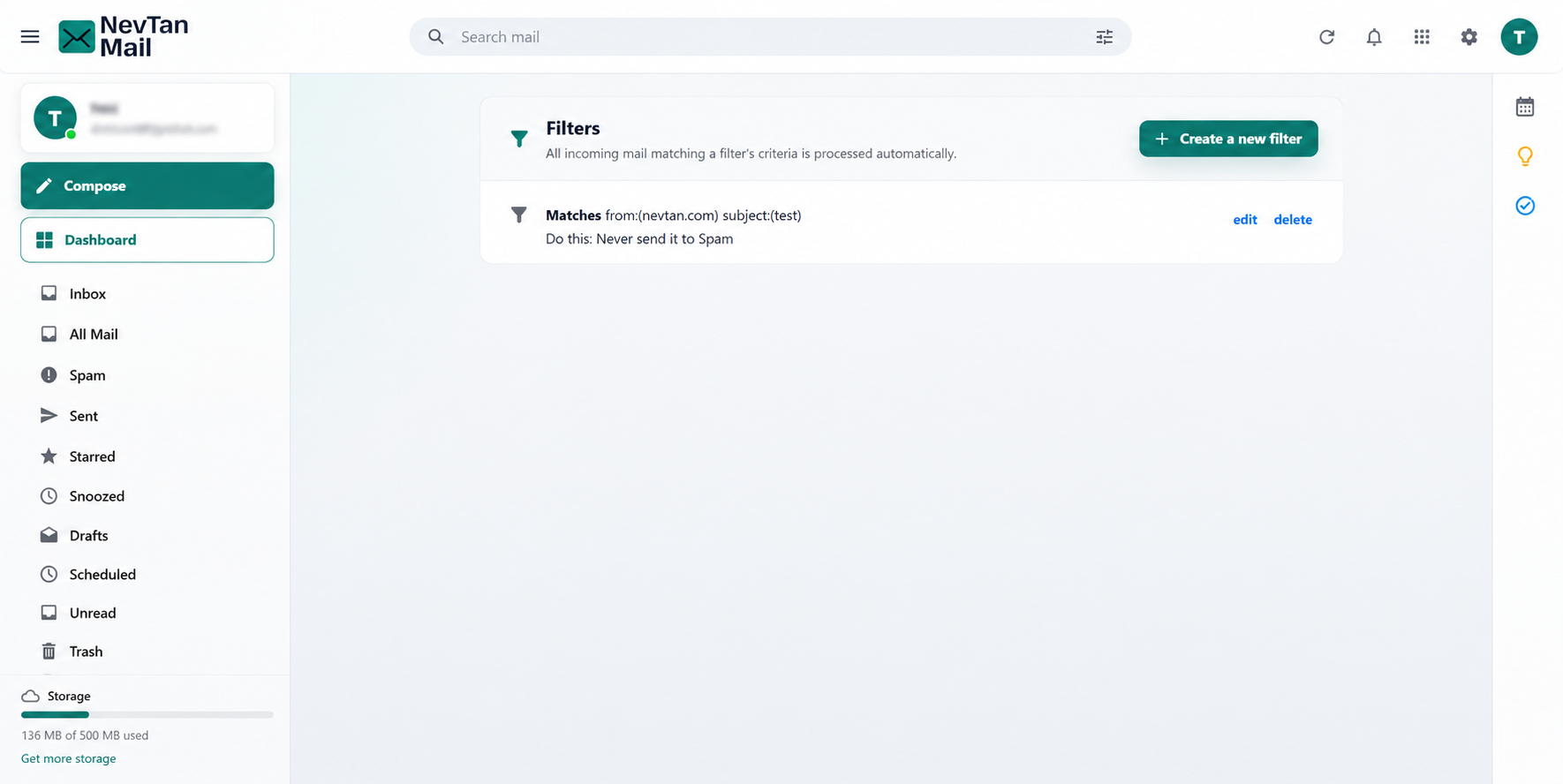
Mail settings
Filters
Send feedbackA filter is a rule that runs on mail as it arrives, so routine messages sort themselves out before you ever see them.
Open Filters
Select the Settings (gear) icon in the header to open Quick settings, then choose Filters under Mail settings.
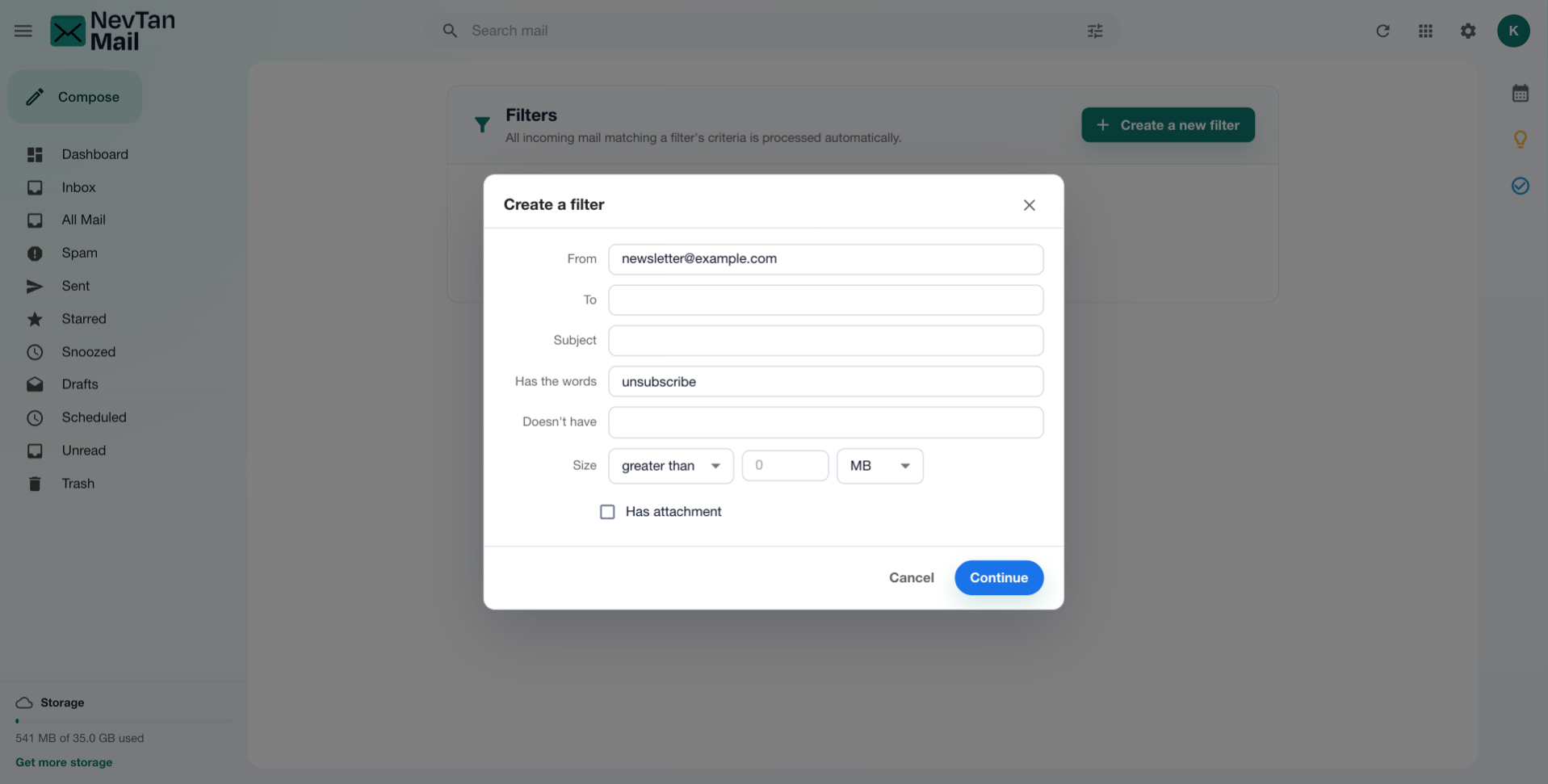
Create a filter
- Describe what to match: Fill in the criteria below — this is the same set of fields as the advanced search panel.
- Choose what happens: Pick one or more actions to apply. A filter needs at least one action before it can be saved.
- Save: Save the filter and it starts running on new mail.
Matching criteria
- From, To, and Subject.
- Has the words and Doesn't have — include or exclude terms.
- Size — larger or smaller than a given size.
These mirror the fields in advanced search, so a search you already use translates naturally into a filter.
What a filter can do
| Action | Effect |
|---|---|
| Skip the inbox | Keeps the message out of your inbox. |
| Mark as read | Marks it read on arrival. |
| Star it | Flags it as important. |
| Apply the label | Puts a label on it as it arrives, so the filing happens without you. Included from Starter — see Labels. |
| Delete it | Sends it straight to Trash. |
| Never mark as spam | Keeps the message out of the Spam folder. |
| Forward it | Sends a copy on to another address. Business and Pro only — see Mail forwarding. |
Apply to mail you already have
A filter normally runs on new mail only. Tick the option to apply it to existing messages and it also sorts the mail already in your mailbox.
Forwarding from a filter
Forwarding from a filter is how you send on some of your mail rather than all of it — everything from one sender, say, while the rest stays put.
Availability: Forwarding from a filter needs the same packages as forwarding itself, Business and Pro. Check Plans & pricing for what each package includes, or open Admin → Subscription to see what your workspace is on.
The address has to be confirmed first
A filter can only forward to an address you've already added and confirmed under Settings → Mail forwarding. Until then, saving the filter is refused with a message telling you to add it there. See Mail forwarding for the two confirmation steps.
If you later remove that address from Mail forwarding, any filter forwarding to it stops forwarding — the rest of the filter carries on working, so a filter that also files or stars mail keeps doing that. Check your filters after removing an address.
Edit & delete
Every filter is listed with a plain-English summary of what it matches and what it does, so you can see at a glance what's running. Filters can be edited or deleted at any time.