
Add a video link
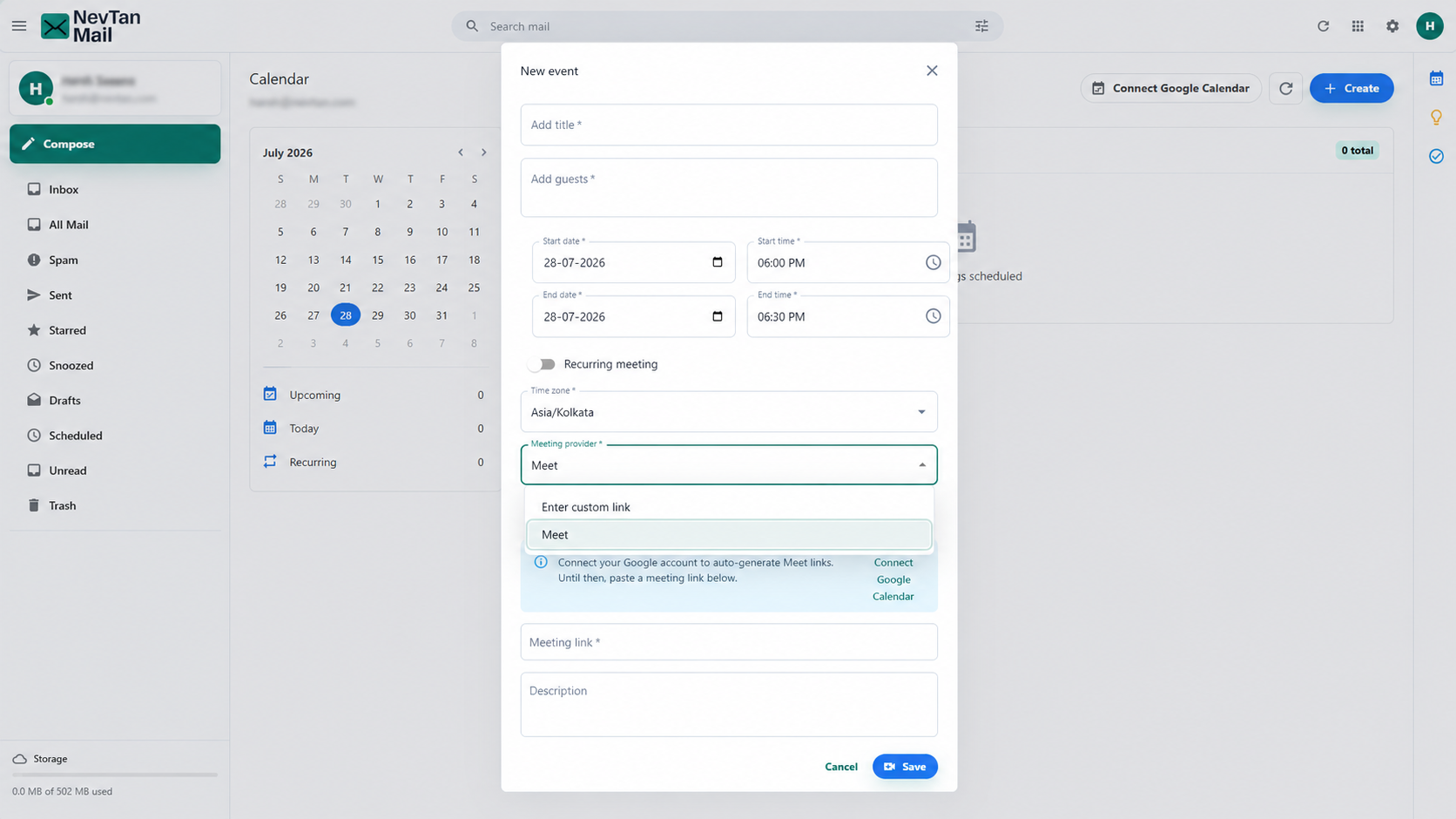
Any meeting can include a video call. When you schedule a meeting, choose how you want to add the link.
Your options
| Option | What it does |
|---|---|
| Meet | Automatically generates a Google Meet link for the meeting. Requires a connected Google account. |
| Enter custom link | Paste a meeting link you already have from another provider — including Zoom. |
Google Meet
Choose Meet to have NevTan Mail create a Google Meet link and attach it to the meeting and the invitation. This uses your own Google account, so you'll need to connect it first — see Connect Google Calendar.
Custom link
Choose Enter custom link and paste a URL from any provider. The link is added to the meeting and included in the invitation your guests receive.
Zoom
Zoom isn't offered for new meetings right now
NevTan Mail has a built-in Zoom integration, but the Zoom provider option is currently hidden while we wait on Zoom's approval to share meetings outside our own account. Until that comes through, add a Zoom call by pasting your Zoom join link into Enter custom link.
Meetings you already saved with Zoom keep working. Open one to edit it and the Zoom option is still available, along with Connect Zoom / Disconnect Zoom so you can manage the authorization for that meeting. Connecting Zoom is optional and is done per user.
For the full connect, use, and remove walkthrough — including what NevTan Mail can access and how to revoke it — see the Zoom integration guide.
Still need a hand?
Our support team usually replies within one business day.
Email us at support@nevtan.com