
Mail settings
Vacation responder
Send feedbackGoing away? Turn on your vacation responder and NevTan Mail replies for you, so people know you're not reading your mail. It replies to each person once, and stops on the date you choose.
Turn on your vacation responder
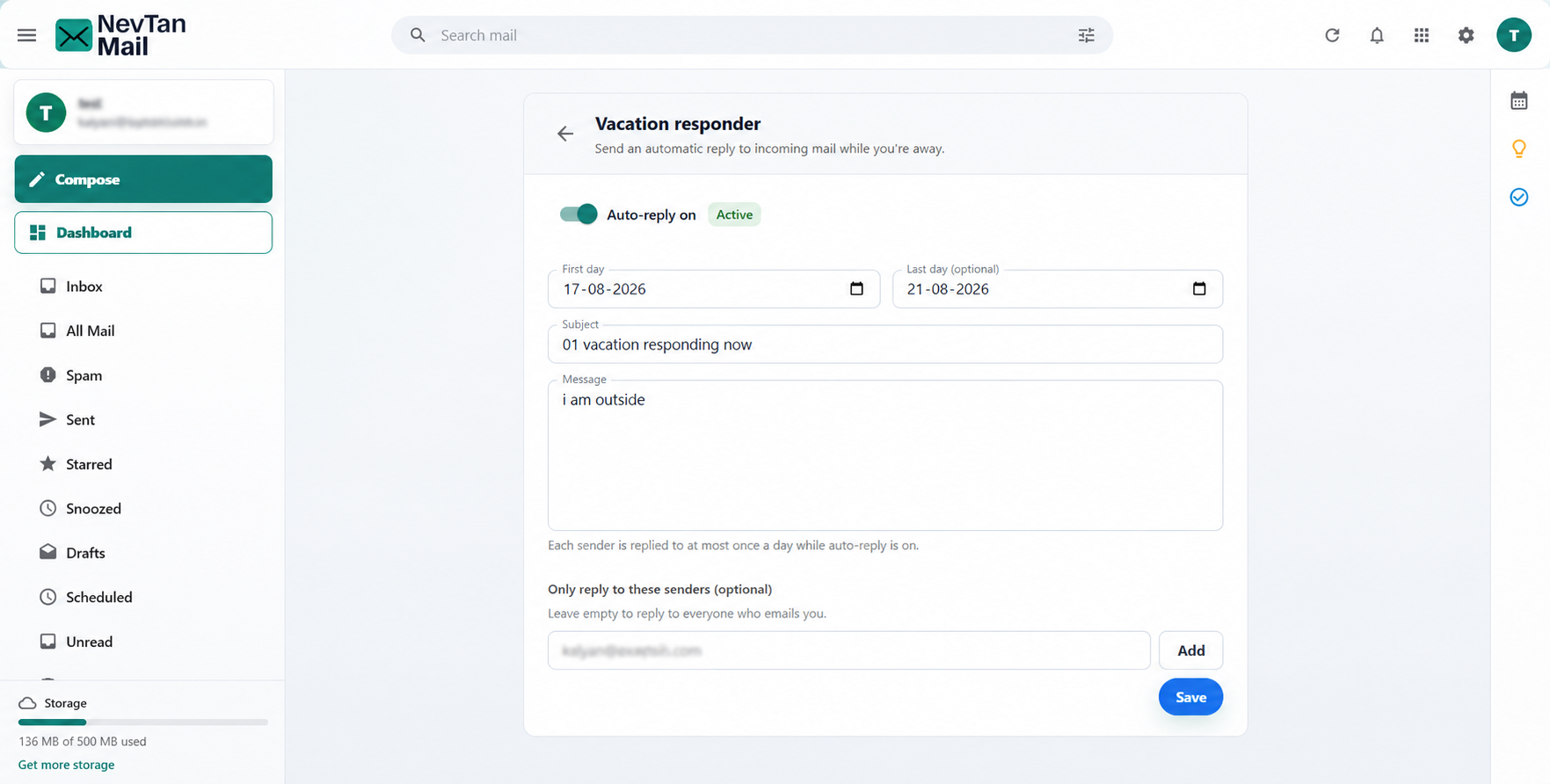
- Open the settings: Select the Settings (gear) icon in the header, then choose Vacation responder under Mail settings.
- Switch it on: Turn on Auto-reply. A green Active label appears next to the switch.
- Choose the dates: Set the First day. Last day is optional — leave it empty and the responder runs until you switch it off.
- Write the reply: Fill in the subject and the message people will receive.
- Save: Choose Save. Nothing is sent until you do.
Check the dates before you save
Saving with today inside the date range starts the responder immediately, and real senders begin receiving your message. If you're setting it up in advance, use a future first day.
How the automatic reply works
Your reply is sent while the responder is on and today falls inside the date range. Both the first and last day are included.
Each person receives your reply once every 24 hours, however many messages they send you in that time. If someone writes to you again the next day and the responder is still on, they receive it again.
NevTan Mail never sends an automatic reply:
- To mail that landed in Spam.
- To automated addresses — anything starting
no-reply@,do-not-reply@,mailer-daemon@,postmaster@,bounce@ornotifications@. This keeps newsletters and delivery notices from being answered. - To yourself, when a message comes from your own address.
Two responders won't loop
If you email someone whose vacation responder is also on, you each receive one reply and it stops there — the once-a-day limit applies to their responder as much as yours.
The reply works for every message that reaches your mailbox, whether it arrives on your NevTan Mail domain, through an imported account, or from a colleague inside your workspace.
Reply to certain people only
By default everyone who emails you receives your reply. To narrow it, add addresses under Only reply to these senders and choose Add. Once the list has at least one address, only those people receive the reply and everyone else gets nothing. Leave the list empty to reply to everyone.
Turn it off
Open Vacation responder again, switch Auto-reply off and choose Save. If you set a last day, it stops on its own after that date — you don't need to come back.
Length limits
A subject can be up to 500 characters and a message up to 5,000. You'll see an error on saving if either is longer.