
Storage & usage
NevTan Mail shows your storage use so you know when you're getting close to your limit.
The storage meter
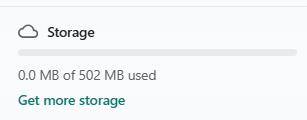
A meter in the sidebar shows how much of your storage you've used out of your total. It turns orange as you pass about 70%, and red at about 90%, so a squeeze is easy to spot. (Accounts without a storage quota, such as super admins, don't see the meter.)
Getting more storage
Storage is part of your plan — each mailbox is allotted the amount of storage set for your subscription. Admins can add capacity from Admin → Subscription (a Get more storage shortcut links there). See Plans & pricing for how storage and billing work together.
Still need a hand?
Our support team usually replies within one business day.
Email us at support@nevtan.com